
AppFunctions and the Agent-First Android: What Google's New API Actually Changes
Google's AppFunctions gives AI agents a structured, on-device way to call Android apps — but the UI automation fallback shipped alongside it tells the real story. Here's an honest map of the two-track future and where accessibility-based phone control still wins.
Auten Team
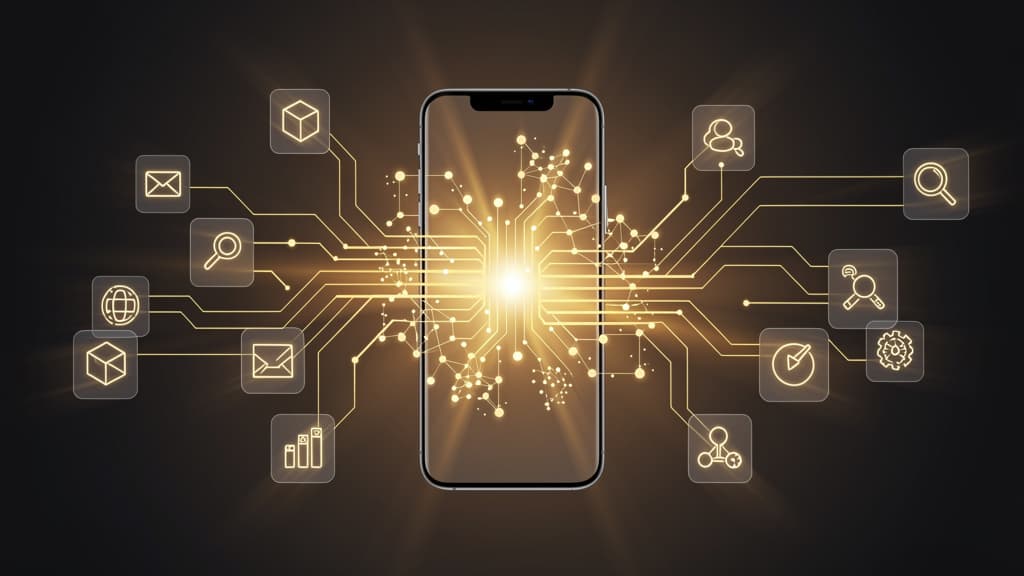
For years, the only way for an AI agent to use an Android app was to look at the screen and tap — the way a person does. At Google I/O '26, Google started building a second road. AppFunctions, a new Jetpack API rolling toward Android 17, lets an app declare its own capabilities as self-describing functions that an agent can discover and call directly in natural language. No screenshots, no coordinate-guessing, no fragile selectors. If you build phone automation, this is the most important architectural shift in the space this year — and it is worth understanding clearly before you decide what it changes for you.
What AppFunctions actually is
AppFunctions is Android's on-device answer to the Model Context Protocol. Where MCP lets a cloud agent call server-side tools, AppFunctions lets an on-device agent — starting with Gemini — call functions an app exposes locally on the phone. A developer uses the AppFunctions Jetpack library to declare something like "find photos of X" or "create a calendar event," and the agent identifies and triggers the right function from a user's request. Google's own demo: "Show me pictures of my cat from Samsung Gallery" runs the Gallery function and shows the results inside Gemini, without the user ever opening the app.
Because the call runs on-device, it is faster and more private than routing through a server — the same argument Chrome makes for WebMCP. The initial supported categories are narrow and practical: calendar, notes, tasks, food delivery, grocery, and rideshare. This is a deliberate, small start, not a general-purpose interface to every app on your phone.
The part most coverage buries: the UI automation fallback
Here is the detail that matters most if you already build agents that control phones. Google knows that the overwhelming majority of apps will not ship AppFunctions any time soon — so alongside it, Google is building a UI automation framework that gives agents "agentic reach with zero code." For apps with no integration, the platform drives the actual UI on the user's behalf: reading the screen, deciding, and tapping — exactly the model accessibility-based agents already use. It is in early preview on Galaxy S26 and select Pixel 10 devices, limited to curated food delivery, grocery, and rideshare apps in the US and Korea to start.
Info
In other words, the company with the most control over Android just confirmed what teams building on the accessibility layer have argued all along: structured integrations are better when they exist, but screen-level control is the floor you cannot remove, because coverage of the structured path will always lag reality.
A two-track future, and where each track wins
The honest way to think about this is two tracks that coexist for a long time, not one replacing the other.
- The structured track (AppFunctions / MCP): fast, private, reliable, and low-maintenance — but only for apps that integrate, in categories that are supported, on devices and in regions where it has shipped. When it exists for your workflow, use it. Nothing screen-based will beat a direct function call.
- The screen track (accessibility / UI automation): slower and more effortful, but it works on any app — the internal enterprise tool that will never publish functions, the banking app that never will for security reasons, the ten-year-old utility nobody maintains, the app in a country the rollout hasn't reached. This is the long tail, and the long tail is most of the phone.
For consumer assistant use cases in the six supported categories, the structured track will steadily eat the screen-tapping work — and that is a good thing. For QA and app testing, for cross-app business workflows, for automating apps you do not own, and for anything outside the curated list, the screen track is not going anywhere. If anything, Google building its own screen-driving framework legitimizes that approach as first-class rather than a hack.
What this changes for people building automation now
Three practical takeaways. First, do not over-invest in brittle, coordinate-based scripts for consumer flows where a stable function is likely to appear — that is the work most at risk of being obsoleted. Prefer agents that reason about screen state over hardcoded tap sequences, which age badly regardless of AppFunctions. Second, if you own an Android app and agents matter to your product, shipping AppFunctions early is a genuine distribution opportunity: you become directly callable from Gemini instead of hoping a screen agent navigates your UI correctly. Third, if your automation spans apps you do not control — testing, data collection, back-office workflows — plan on accessibility-based control as your primary mechanism for the foreseeable future, and treat AppFunctions as an optimization you adopt per-app as coverage arrives.
This maps directly onto why reliability, not raw capability, is the real battleground. A benchmark this year found the best open mobile agent completed only 43% of everyday Android tasks — the gap is execution consistency, not ambition. We wrote about that in detail in the mobile AI agent reliability gap. AppFunctions attacks that gap for the apps it covers by removing the screen from the loop entirely; for everything else, closing the gap is still an engineering problem you have to solve on the screen track.
The honest caveat
It is early. AppFunctions is beta, the UI automation fallback is a limited preview on two device families in two countries, and Google has said more developer detail is coming "later in 2026." Timelines slip, supported categories may expand slowly, and "agent-first OS" is still more roadmap than reality. Do not rearchitect around a private preview. But do internalize the direction: Android is moving from app-first to intent-first, and both a structured path and a screen-driving path are now officially part of that future. Betting against either one is a mistake.
FAQ
Does AppFunctions make accessibility-based phone agents obsolete? No. It makes them unnecessary for apps that integrate AppFunctions in supported categories — a small slice today. Google's own UI automation fallback exists precisely because most apps will never integrate, and screen-level control remains the only universal method.
Is AppFunctions the same as MCP? Conceptually yes — it is the on-device equivalent. MCP standardizes how agents call server-side tools; AppFunctions standardizes how an on-device agent calls functions an Android app exposes locally, which is faster and more private than a network round-trip.
When can developers ship AppFunctions? It is in early beta now, tied to Gemini on the Galaxy S26 series, with broader availability targeted around Android 17. Google has said more implementation guidance is coming later in 2026, so treat current APIs as subject to change.
Should I still use accessibility-based automation for testing? Yes. App testing, cross-app workflows, and any app you do not own fall outside AppFunctions' current scope, and screen-level control works on all of them today without waiting for developer integration.
Auten builds agents that control real Android phones through the accessibility layer — the screen track that works on any app, today, without waiting for developer integration. As AppFunctions coverage grows, we treat it as an optimization to fold in per-app, not a reason to abandon the universal path. If you are deciding how to automate Android in an agent-first world, that pragmatic split is the one we would bet on.
Share this article